A Mac menu-bar app
Every paste matches.
Copy from any app and FormatMatch: Plain Paste keeps only the words, leaving the fonts and colors behind.

$1.99 one-time purchase.
Copy anything. Paste plain.
What you copied
Quarterly notes with highlighted text in a different font
What you paste
Quarterly notes with highlighted text in a different font
The words stay; the styling goes.
No shortcut to remember.
Paste and Match Style (⌥⇧⌘V) only works in apps that offer it, and some apps use their own plain-text shortcut. FormatMatch: Plain Paste cleans text when you copy it, so a regular ⌘V pastes the text without its formatting.
A web page, into an email
Copy a paragraph from an article and paste it into an email. It arrives in the email’s own font, not the website’s.
A document, into a chat
Move text from a formatted document into a message without carrying its fonts and colors.
Research, into your notes
Snippets from articles and other apps paste into a notes app as plain text, in the note’s own style.
How it behaves.
Automatic
It runs in your menu bar and cleans formatted text the moment you copy it. Plain text and standalone images pass through untouched.
On your terms
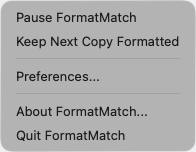
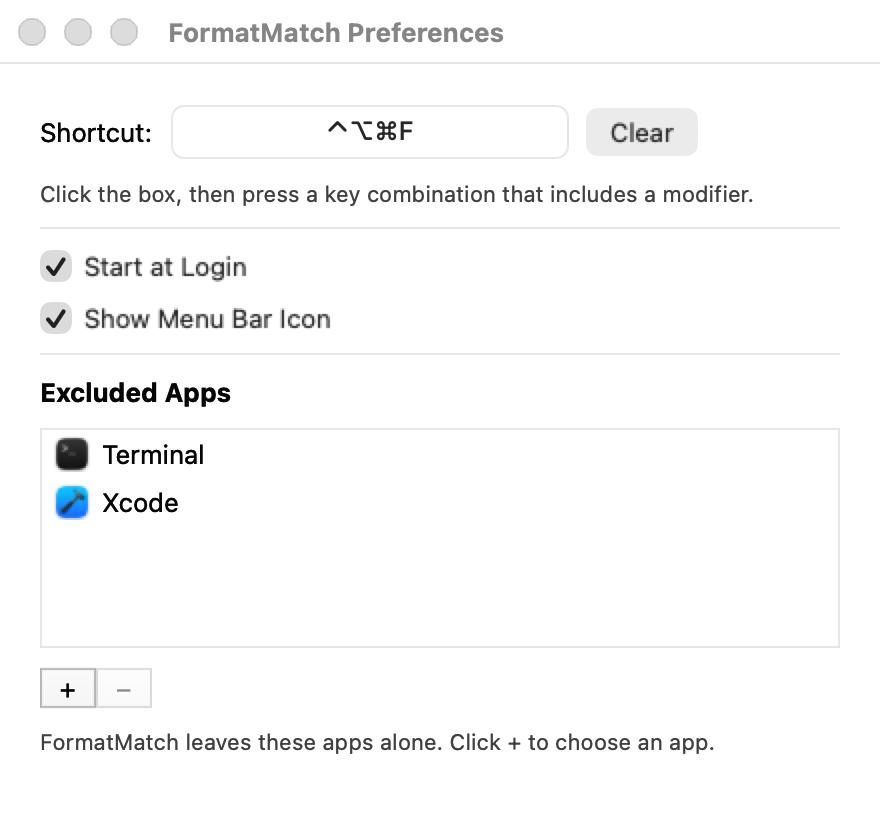
Keep formatting for the next copy from the menu, exclude apps you want left alone, and set a keyboard shortcut to pause or resume FormatMatch: Plain Paste.
Private
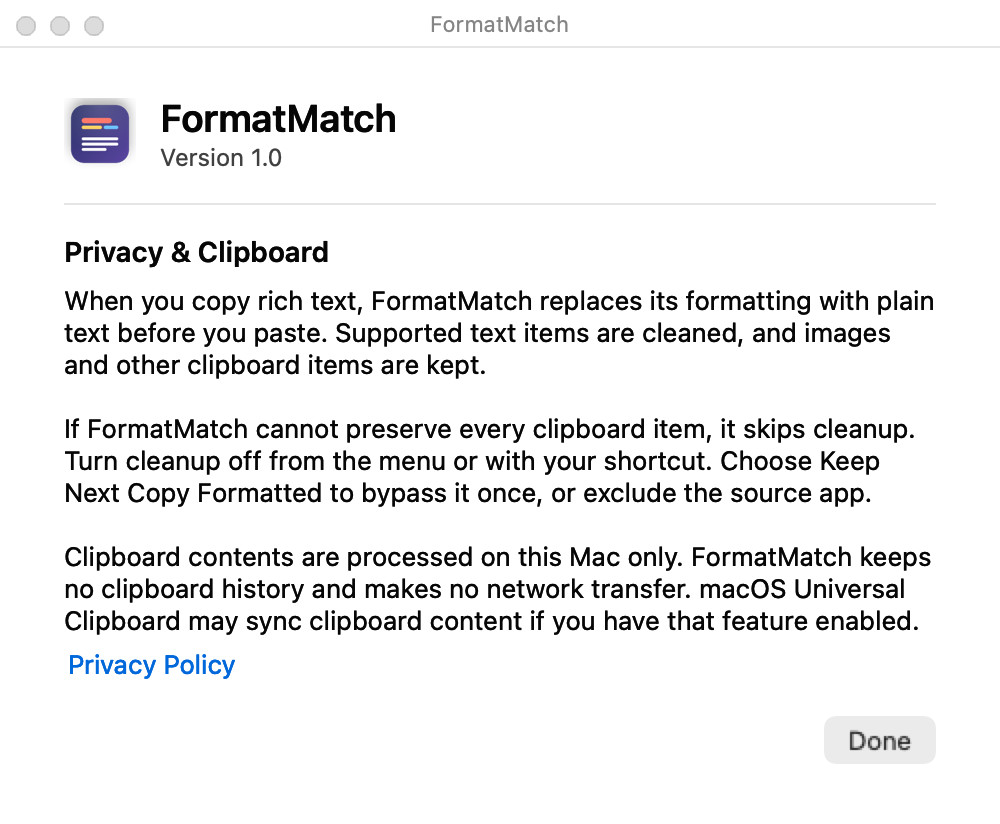
If your password manager marks a copy as secret, FormatMatch: Plain Paste never reads or changes it. No clipboard history, no network connections, no tracking.
Small and out of the way.
One menu, one settings window, and a plain explanation of what it does with your clipboard.
Questions
What does it cost?
$1.99, a one-time purchase. There is no subscription and there are no in-app purchases.
Which Macs does it run on?
It is built for Apple silicon and Intel Macs. The minimum macOS version is on the support page.
How do I paste without formatting on a Mac?
In Apple’s apps you can use Paste and Match Style (⌥⇧⌘V), and some other apps offer their own plain-text paste. FormatMatch: Plain Paste removes the formatting when you copy instead, so an ordinary ⌘V pastes the text without its formatting.
What does the app change?
When you copy formatted text, it replaces the copy with the same text and no styling. Links inside formatted text keep their words but lose the link address; a URL or file link copied on its own is kept. An image bundled inside formatted text is removed along with the formatting. To keep links, choose Keep Next Copy Formatted before you copy.
How do I keep the formatting once?
Choose Keep Next Copy Formatted from the FormatMatch menu before you copy.
Can I stop it cleaning copies from some apps?
Yes. Add them to Excluded Apps in Preferences. While any app is excluded and FormatMatch: Plain Paste cannot tell which app a copy came from, it leaves that copy unchanged. The menu bar icon then shows an exclamation mark, and Clean Last Copy in the menu cleans it.
What about passwords?
If your password manager marks a copy as concealed, FormatMatch: Plain Paste never reads or changes it. This relies on the password manager setting that mark.
Does it send anything anywhere?
No. FormatMatch: Plain Paste makes no network connections and keeps no clipboard history. Universal Clipboard syncing between devices is done by macOS, not by FormatMatch: Plain Paste. Read the privacy policy.
Is this related to an earlier app called FormatMatch?
No. FormatMatch: Plain Paste is made by Costa Technologies, LLC and is not affiliated with any earlier app of the same name.